%20scale(1)'%3e%3cg%20transform='translate(0%20350)%20scale(0.1%20-0.1)'%20fill='%231F3B2E'%20stroke='none'%3e%3cpath%20d='M1732%203289%20c-109%20-54%20-125%20-214%20-29%20-295%2016%20-14%2043%20-28%2059%20-31%2035%20-7%2043%20-24%2058%20-130%2012%20-92%203%20-180%20-29%20-264%20l-22%20-57%20-50%20-4%20c-90%20-9%20-144%20-72%20-136%20-161%206%20-73%2029%20-97%20137%20-147%2020%20-10%2047%20-83%2077%20-215%2051%20-217%2031%20-475%20-52%20-668%20-39%20-91%20-61%20-114%20-48%20-50%2016%2082%206%20264%20-20%20364%20-41%20155%20-98%20258%20-241%20428%20-86%20102%20-110%20139%20-137%20217%20-26%2074%20-36%20220%20-20%20295%2011%2053%2014%2057%2050%2068%2048%2014%2098%2068%20107%20116%2019%20103%20-48%20187%20-151%20187%20-144%200%20-204%20-173%20-96%20-276%2026%20-25%2027%20-31%2020%20-69%20-13%20-66%20-10%20-206%206%20-279%2020%20-96%2083%20-210%20176%20-319%20135%20-158%20188%20-254%20226%20-405%2023%20-95%2021%20-291%20-4%20-400%20-20%20-84%20-163%20-473%20-174%20-474%20-20%200%20-30%20145%20-27%20390%203%20304%20-1%20329%20-78%20489%20-65%20134%20-183%20250%20-389%20387%20-191%20126%20-274%20208%20-337%20330%20-25%2049%20-53%20113%20-63%20141%20-28%2089%20-48%2082%20-88%20-32%20-83%20-235%20-72%20-532%2028%20-744%2080%20-169%20170%20-262%20400%20-413%20293%20-193%20379%20-318%20466%20-671%2062%20-253%20123%20-384%20219%20-471%2040%20-36%2041%20-36%20131%20-36%2086%200%2091%201%2097%2022%203%2013%2019%2050%2036%2083%2047%2090%2093%20114%20236%20126%20162%2013%20235%2037%20322%20106%2087%2070%20203%20245%20196%20295%20-3%2022%20-6%2022%20-142%2019%20-149%20-3%20-219%20-16%20-305%20-58%20-70%20-34%20-158%20-124%20-200%20-204%20-36%20-67%20-118%20-189%20-128%20-189%20-11%200%208%20130%2028%20197%2061%20195%20200%20322%20392%20358%2040%207%20122%2018%20182%2024%20145%2013%20254%2048%20349%20111%20222%20149%20346%20406%20346%20719%200%2087%20-17%20218%20-38%20296%20-15%2052%20-38%2043%20-57%20-22%20-47%20-171%20-109%20-283%20-221%20-402%20-97%20-103%20-161%20-149%20-344%20-247%20-202%20-107%20-267%20-153%20-368%20-259%20-105%20-111%20-177%20-225%20-250%20-393%20-64%20-150%20-90%20-260%20-99%20-422%20-4%20-81%20-10%20-120%20-18%20-120%20-21%200%20-95%2071%20-121%20116%20-103%20176%20-80%20419%2059%20624%2047%2068%20143%20166%20227%20229%2077%2058%20166%20116%20370%20236%20196%20117%20288%20195%20361%20308%2062%2095%2084%20174%2083%20297%20-1%2058%20-6%20125%20-12%20150%20-10%2041%20-9%2047%2013%2070%2028%2029%2045%2070%2045%20107%200%2041%20-36%20107%20-70%20127%20-40%2023%20-111%2023%20-152%20-1%20-56%20-33%20-84%20-120%20-59%20-185%2014%20-37%2060%20-77%20101%20-88%2035%20-9%2039%20-14%2049%20-58%2030%20-135%2021%20-221%20-36%20-341%20-41%20-87%20-128%20-179%20-232%20-246%20-38%20-25%20-72%20-45%20-75%20-45%20-3%200%2013%2037%2034%2083%2026%2054%2044%20109%2052%20160%2010%2068%2017%2084%2045%20112%2028%2028%2033%2040%2033%2080%200%2040%20-5%2052%20-34%2081%20-74%2074%20-181%2021%20-181%20-88%200%20-34%207%20-46%2040%20-76%2044%20-41%2047%20-62%2019%20-162%20-38%20-135%20-137%20-257%20-285%20-353%20-48%20-30%20-125%20-85%20-173%20-121%20-47%20-36%20-89%20-66%20-92%20-66%20-3%200%205%2019%2019%2042%2014%2024%2070%20133%20125%20243%20113%20226%20177%20395%20217%20570%2015%2066%2038%20170%2052%20230%2023%20101%2094%20288%20129%20343%208%2012%2025%2022%2038%2022%2057%200%20126%2081%20126%20148%200%2049%20-34%20107%20-74%20126%20-106%2050%20-224%20-28%20-213%20-141%204%20-37%2014%20-58%2051%20-107%205%20-7%20-10%20-53%20-39%20-120%20-45%20-104%20-63%20-168%20-135%20-478%20-28%20-124%20-100%20-340%20-120%20-361%20-4%20-5%20-8%2056%20-8%20135%200%20150%20-9%20210%20-59%20391%20l-26%2097%2020%2023%20c51%2056%2061%20140%2024%20200%20l-21%2034%2025%2062%20c39%2096%2050%20191%2037%20315%20l-12%20106%2045%2044%20c48%2048%2061%2087%2053%20161%20-7%2056%20-41%20103%20-92%20126%20-54%2024%20-101%2024%20-154%20-2z'%20/%3e%3c/g%3e%3c/g%3e%3c/svg%3e)

Step one — Plan
Prepare the work before the signal disappears.
Bring projects, mapped sites, species targets and approval evidence together, then send the same connected record into the field.
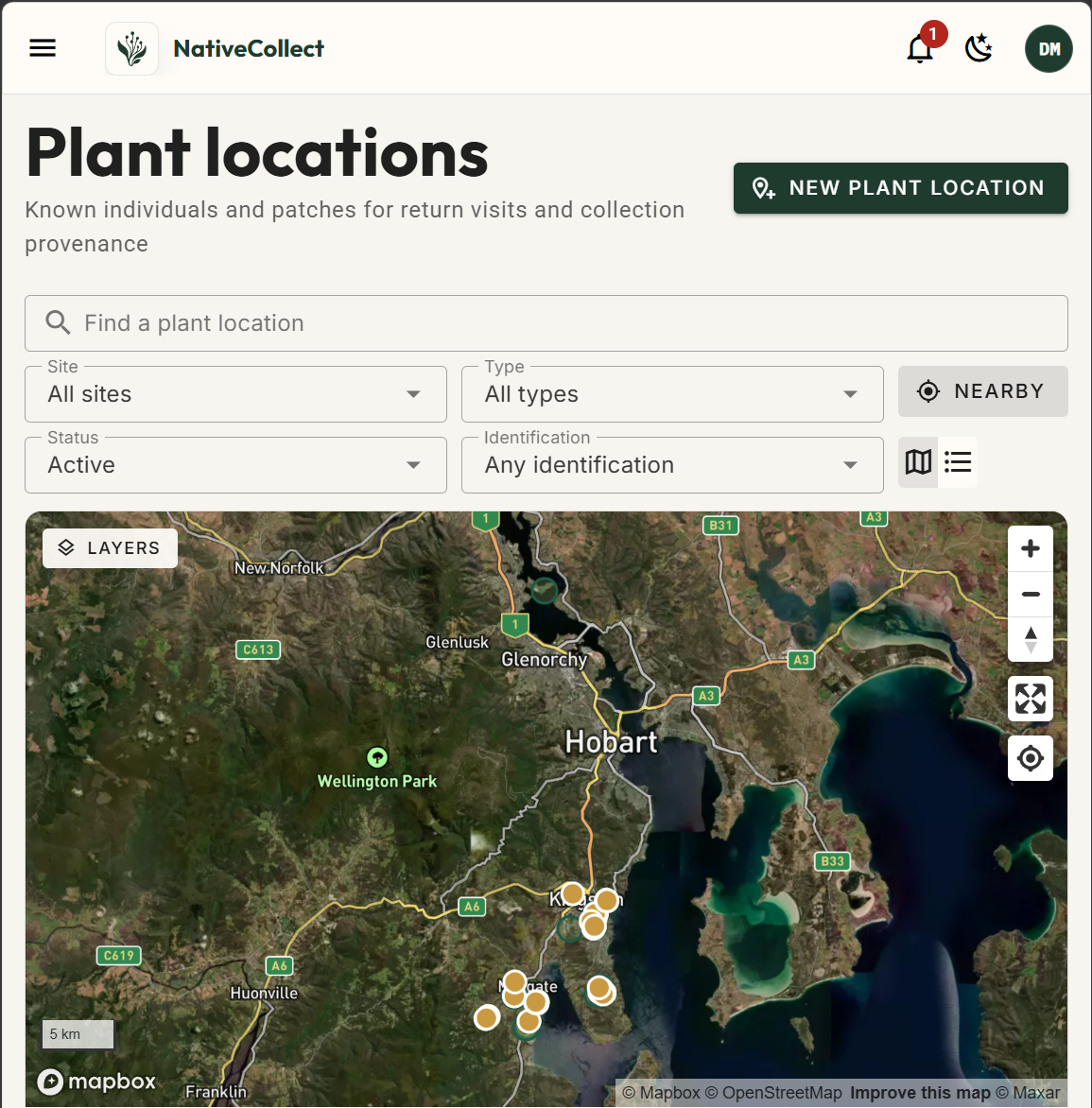
Plan from what is known.
- Known plants
- Return visits
- Collection provenance
Projects and sites
Work you can hold in one place.
A project holds a body of collection work, whether that is restoration, seed banking, a consulting survey or internal supply. Its objectives, its sites and its species targets sit together. Sites carry real mapped boundaries, imported straight from the GeoJSON or WKT you already have, and are matched to their local government area automatically.
Show all 10 features
- Projects
- A container for a body of collection work, typed by purpose.
- Project objectives
- What the project is meant to achieve, recorded beside the plan.
- Project lifecycle
- Track a project from planned through active, paused, completed and archived, so the dashboard shows live work and the rest stays out of the way.
- Sites
- Named collection areas with mapped boundaries, details and notes.
- Boundary import
- Bring in the boundaries you already have as GeoJSON or WKT, and skip the redrawing.
- Automatic LGA tagging
- Sites are matched to their local government area on save.
- Species targets
- Per-species goals in real units: grams, kilograms, seeds, seed heads, capsules or bags.
- Collection plans
- Build a run as a draft, mark it ready, assign it to a crew and watch it through to completed. Everyone can see which stage it has reached.
- Observation plans
- Scouting effort with explicit observation targets.
- What the phone carries
- Assign a run and the phone gets exactly those jobs, ready to work offline.
Approvals
Permission, tracked like it matters.
Permits, land permissions, Indigenous consent references and biosecurity approvals sit in one register, each with its own state and expiry. One approval can cover several projects at once. You get told before something lapses.
NativeFlow records and tracks your approvals. Deciding what permission you need is your call, and this is not legal advice.
Show all 5 features
- Approval register
- Permits, land permissions, Indigenous consent references and biosecurity approvals in one place.
- Approval states
- See at a glance which permits are live, which came with conditions attached, and which have lapsed.
- Reusable approvals
- Attach one approval to every project it covers, and update it in one place when it is renewed.
- Expiry alerts
- A notification before an approval reaches its end date.
- Evidence attachments
- Supporting documents kept against the approval.
Knowing when
Timing, from your own evidence.
The hardest planning question is when to go. For each species at each site you get a call: collect now, approaching, poor crop, watch, or passed. Every call shows its working. It tells you whether it rests on seed your crew recorded last week, on a forecast, or on a window somebody typed in by hand, because those carry very different weight.
Show all 10 features
- Collection outlook
- A per-species call on whether to go now: collect now, approaching, poor crop, watch, passed or stale.
- Evidence-based readiness
- Every outlook names its observation, forecast or curated-window basis; visible mature fruit stays separate from collectable seed availability.
- Phenology windows
- Flowering and seeding windows with a stated confidence level.
- Seed timing
- Per-species seed-hold behaviour that shapes how long a ripe or mature call stays valid.
- Species profiles
- Your organisation's own collection, phenology and storage notes per species.
- Australian plant catalogue
- Names, taxonomy and occurrence data from the Atlas of Living Australia.
- Species photos
- An image library per species, with a chosen primary image.
- Site species lists
- What's recorded at a site, with observed status and dates.
- Species discovery
- Species likely to occur at a site, region or local government area.
- Areas and LGAs
- Browse local government areas and other area types with their species and boundaries.
Ready when you are
Plan a run this week.
Prepare one active project free, then add people and projects when the work calls for it.